

Download LanHelper – remote control, network management, LAN, computer management, remote access, network monitoring, local network, IP address, MAC address, Wake-On-LAN
Overview
LanHelper is a mobile application designed to simplify the management of devices within a local network. Targeted primarily at IT administrators, network managers, and tech-savvy users, the app enables remote control and monitoring of computers without requiring any software installation on the target machines. Its core purpose is to streamline network operations by offering centralized control over multiple devices, improving efficiency and reducing administrative overhead. The app addresses common challenges such as managing offline systems, troubleshooting connectivity issues, and performing routine maintenance tasks across a distributed network.
With its ability to detect IP and MAC addresses, perform remote actions, and monitor system states, LanHelper serves as a practical utility for maintaining network health. Real-world use cases include powering on dormant workstations via Wake-On-LAN, shutting down systems remotely during maintenance, and capturing screenshots for diagnostics. The app is particularly valuable in environments where multiple computers are used in close proximity, such as offices, labs, or small business networks. Its lightweight design and zero-installation model make it ideal for rapid deployment and secure access without altering the target device’s configuration.
The developer, LanHelper, has positioned the app as a dedicated tool for network management, focusing on functionality and accessibility. Although the developer did not provide additional technical details, the app’s consistent release history since 2012 suggests a stable and reliable product. In the broader app ecosystem, LanHelper fills a niche for lightweight, secure, and efficient remote management solutions tailored for Android users who need to interact with local network environments.
Key Features & Functionality
- Remote Computer Management: LanHelper allows users to execute various administrative tasks on remote machines, including shutting down, restarting, and blocking peripheral devices like USB drives or CD/DVD drives. This feature is especially useful during security audits or when enforcing policy compliance on shared workstations.
- Remote Application Launch: The app enables the initiation of specific applications on remote computers, allowing users to start software or services without physical access. This capability supports remote troubleshooting and software deployment in distributed environments.
- Wake-On-LAN Support: LanHelper includes Wake-On-LAN functionality, allowing users to power on computers that are turned off or in sleep mode. This feature requires prior configuration on the target machine but significantly enhances network flexibility, particularly for systems used intermittently.
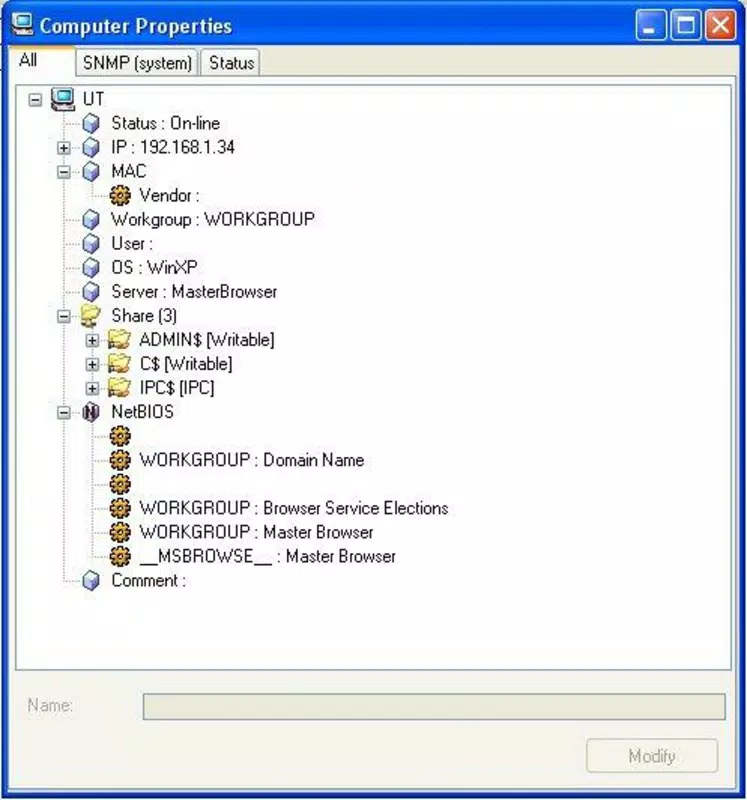
- IP and MAC Address Detection: The app automatically scans the local network to identify connected devices and display their IP and MAC addresses. This aids in device tracking, network diagnostics, and configuration verification.
- Remote Screenshots: Users can capture screenshots from remote computers, providing visual confirmation of system states or troubleshooting evidence. This is valuable for diagnosing software issues or verifying user activity.
- System State Monitoring: LanHelper continuously monitors the operational status of connected devices, alerting administrators to potential outages or errors. This real-time awareness contributes to proactive maintenance and improved network reliability.
Each feature is designed to reduce manual intervention and increase control over a network. For example, an IT manager can use the app to power on a workstation before a scheduled meeting, verify its login status via screenshot, and launch a presentation application remotely—all from a smartphone.
Interface, UX & Performance
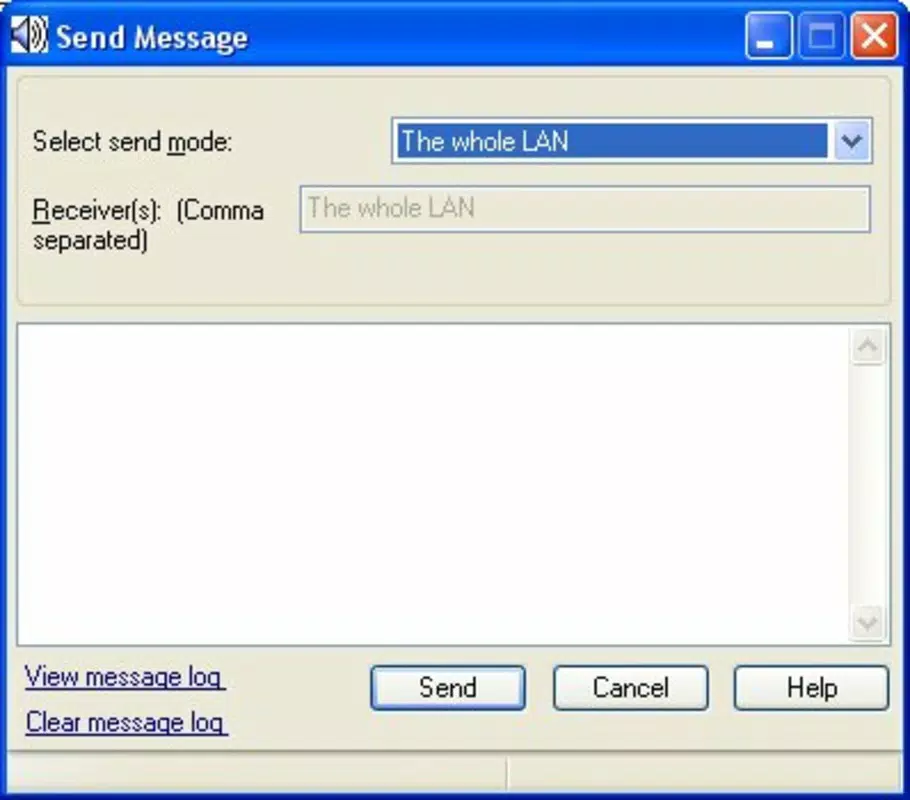
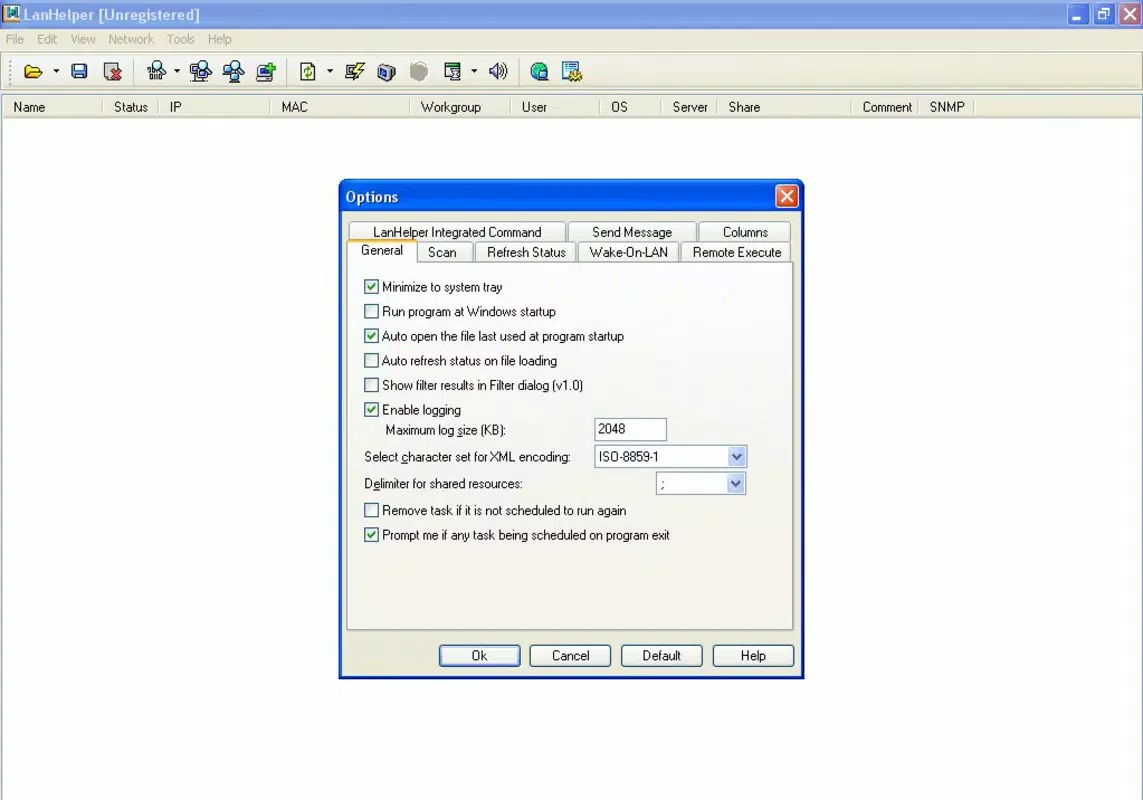
The user interface of LanHelper is designed with functionality and clarity in mind. It presents a clean, minimal layout focused on essential network operations. Navigation is straightforward, with a central dashboard displaying connected devices and quick-access buttons for common actions such as shutdown, reboot, and screenshot capture. The app uses intuitive icons and labels, reducing the learning curve for new users.
Interaction flow is linear and efficient—users scan the network, select a device, and choose the desired action from a contextual menu. The app responds promptly to user inputs, with minimal lag during device discovery and command execution. Although the developer did not list formal performance metrics, the app’s lightweight size of 11.2 MB suggests optimized resource usage, which contributes to smooth operation on a range of Android devices.
Performance across different device categories appears consistent, with no reported issues related to responsiveness or stability. The app maintains a stable connection during remote tasks, and command execution typically completes within seconds. Users can expect reliable behavior when managing devices on the same local network, though performance may vary slightly depending on network speed and device compatibility.
Platform Compatibility & Technical Requirements
LanHelper is available exclusively on the Android platform. The current version is 2.4.1, with a file size of 11.2 MB. The app is offered free of charge, making it accessible to a broad user base. While the developer did not specify minimum OS requirements, the app’s long-standing presence in the market suggests compatibility with a wide range of Android versions, including older releases.
Compatibility information was not fully disclosed, and specific device requirements were not listed. Users are advised to ensure their Android device is connected to the same local network as the target computers to enable full functionality. The app does not require root access or special permissions beyond standard network communication, which enhances its usability and security profile.
Pros and Cons
Pros
- Zero installation required on remote devices
- Supports Wake-On-LAN for remote power-on
- Provides real-time system state monitoring
- Efficient IP and MAC address detection
- Remote screenshot capture for diagnostics
- Free to download and use
Cons
- Requires prior configuration on target machines for Wake-On-LAN
- Specific OS and device compatibility details not provided
- Functionality limited to local network environments
- No built-in user authentication or access control
- Developer did not disclose update frequency or support channels
FAQ
Is LanHelper safe to use on my network?
Yes, LanHelper operates within the local network and does not transmit data externally. It relies on standard network protocols and does not require root access or elevated permissions on the host device. However, users should ensure their network is secured to prevent unauthorized access.
Can I use LanHelper on iOS devices?
Currently, LanHelper is only available on Android. The developer has not released a version for iOS, and no alternative platforms were mentioned.
Do I need to install software on remote computers?
No. LanHelper does not require any software installation on the remote machines. It communicates with devices using standard network protocols, making it easy to deploy without administrative overhead.
What is required to use Wake-On-LAN?
To use Wake-On-LAN, the target computer must have the feature enabled in its BIOS/UEFI settings and the network adapter configured to support wake-on-LAN. Additionally, the device must remain connected to the network even when powered off.
How often does LanHelper update?
The developer did not disclose the update schedule. Users are advised to check the app store regularly for new versions and improvements.
Final Thoughts
LanHelper stands out as a reliable, lightweight tool for managing local networks from an Android device. Its ability to perform remote actions without requiring software on target machines makes it a valuable asset for IT professionals and network administrators. The combination of Wake-On-LAN, system monitoring, and remote control features delivers tangible benefits in real-world scenarios, from reducing downtime to improving operational efficiency.
While the app lacks detailed documentation and advanced security features like user authentication, its core functionality is robust and well-executed. For users seeking a free, no-install solution for local network management, LanHelper offers a practical and effective approach.
Download LanHelper now


